 WidgetCraftGet the app
Aesthetic · Analog clock · 2 × 2 widget
Aesthetic analog clock widget
An aesthetic analog clock widget shows the time on a round dial with hour and minute hands. Muted, photo-led layouts with soft neutrals and a curated feel. This page gives the exact colors, type settings and layers, with a preview drawn from the same values.
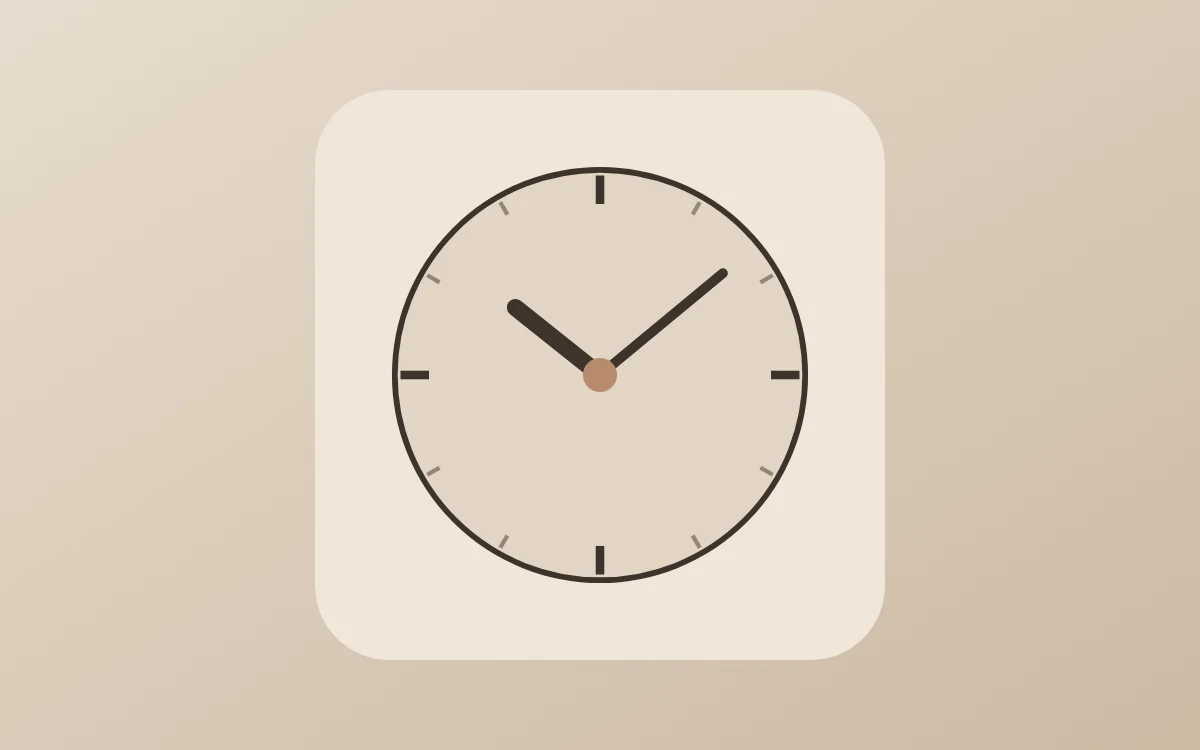
What an aesthetic analog clock widget shows
An analog clock reads as a shape rather than as numbers, which makes it the most decorative way to show the time. WidgetCraft has a dedicated analog layer where the dial, markers and each hand can be styled separately.
It uses the phone's clock, needs no permission and works offline. A 2 × 2 space is enough.
How the aesthetic style shapes it
The aesthetic look is a curated mood board: muted beige and brown tones, a favorite photo, a lowercase caption and lots of soft space. Every widget shares one palette so the screen feels like a single design.
- Bars and rings: Keep bars thin and tone-on-tone so they whisper rather than shout.
- Numbers: Set numbers in a light serif and center them with a tiny label below.
Aesthetic analog clock widget recipe
| Layer | Settings |
|---|---|
| Canvas | 200 × 200, background #EFE6DA, corner radius 26 |
| Analog | dial #E2D5C4, ring 2 pt in #3D332B |
| Markers | 12 ticks, quarter-hours in #3D332B (3 pt), others in #93867A (1.5 pt) |
| Hour hand | length 50%, width 6, color #3D332B, round ends |
| Minute hand | length 78%, width 3.5, color #3D332B |
| Center cap | radius 6, color #B98B6E |
| Font | Cormorant Garamond (import the font file), or the built-in Serif |
| Home screen size | 2 × 2 cells |
Aesthetic color palette
- Oat
#EFE6DABackground - Latte
#E2D5C4Surface and tracks - Espresso
#3D332BText - Taupe
#93867ALabels - Caramel
#B98B6EAccent
How to make an aesthetic analog clock widget in WidgetCraft
- Create a widget and open Canvas. Set the size to 200 × 200, the background to #EFE6DA and the corner radius to 26.
- Tap Add and choose Analog. Size it to fill the canvas with a margin of about 28.
- Open the clock details and set the dial to #E2D5C4 with a 2-point ring in #3D332B.
- Set twelve markers: quarter-hours thicker in #3D332B, the rest thinner in #93867A.
- Style the hour hand (short, width 6) and minute hand (long, width 3.5) in #3D332B, turn the second hand off and color the center cap #B98B6E.
- Tap Save, then Add to home screen and resize the widget on your launcher if needed.
Everything in this recipe works in the free version.
Tips for aesthetic analog clock widgets
- Pick four colors from one photo and reuse them on every widget.
- Center text and leave wide margins.
- Keep the hour hand clearly shorter and thicker than the minute hand.
- Twelve markers are easier to read than sixty; add numerals only at 12, 3, 6 and 9 if at all.
- Leave the second hand off: launchers refresh widgets about once a minute.
- Do not mix saturated colors into the palette.
- Do not use capitals for long text.
Questions about the aesthetic analog clock widget
What size is an aesthetic analog clock widget?
It is designed for 2 × 2 home screen cells on a 200 × 200 canvas. You can resize it on the launcher and the design scales in proportion.
Which colors does it use?
Oat (#EFE6DA) for the background, Espresso (#3D332B) for the main text, Taupe (#93867A) for labels and Caramel (#B98B6E) as the accent.
Is it free to make?
Yes. Analog clock widgets use free features in WidgetCraft, and the aesthetic styling is free too.
What else is this style called?
People also search for aesthetic widget ideas, aesthetic home screen analog clock widget, beige aesthetic analog clock widget. They describe the same look as this aesthetic analog clock widget.
More aesthetic widgets
- Aesthetic clock widget
- Aesthetic calendar widget
- Aesthetic battery widget
- Aesthetic countdown widget
- Aesthetic to-do list widget
- Aesthetic photo widget
- Aesthetic quote widget
- Aesthetic music widget
- Aesthetic year progress widget
- Aesthetic step counter widget
- Aesthetic habit tracker widget
- Aesthetic sticky note widget
- Aesthetic world clock widget
- Aesthetic date widget
- Aesthetic home screen setup
- All aesthetic widgets