 WidgetCraftGet the app
Cottagecore · Date · 2 × 2 widget
Cottagecore date widget
A cottagecore date widget shows the weekday, a large day number and the month. Countryside calm: sage green, cream, florals and handwritten notes. This page gives the exact colors, type settings and layers, with a preview drawn from the same values.
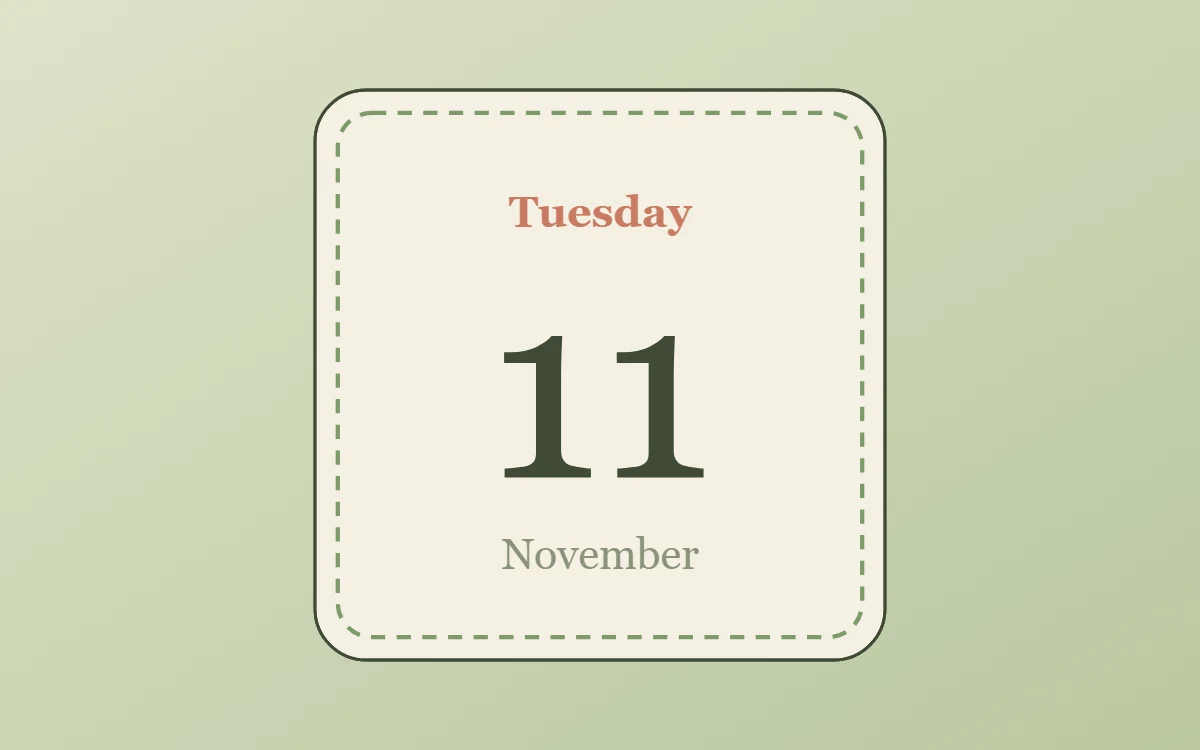
What a cottagecore date widget shows
A date widget is the calm alternative to a clock: one large number for the day, with the weekday above and the month below. It suits small 2 × 2 spaces and pairs well with a clock elsewhere on the screen.
It uses the phone's date, so it is free, works offline and needs no permission. WidgetCraft's Date layer takes a pattern, so each line can show a different part of the date.
How the cottagecore style shapes it
Cottagecore widgets feel like a page from a garden journal: sage and cream colors, a serif or handwritten font, pressed-flower photos and gentle rounded frames.
- Numbers: Keep numbers modest in size and add a handwritten label.
- Text: Use a handwritten or soft serif font in dark green.
Cottagecore date widget recipe
| Layer | Settings |
|---|---|
| Canvas | 200 × 200, background #F4F0E2, corner radius 18, outline 1 pt #3F4A36 |
| Date | weekday (pattern EEEE), size 15, color #C97B63, centered |
| Date | day number (pattern d), Caveat, weight 500, size 92, color #3F4A36 |
| Date | month (pattern MMMM), size 15, color #8A927A |
| Ornament | a dashed sage-green outline inset 8 points, like a line of stitching |
| Font | Caveat (import the font file), or the built-in Serif |
| Home screen size | 2 × 2 cells |
Cottagecore color palette
- Cream
#F4F0E2Background - Sage mist
#E3E6CFSurface and tracks - Forest ink
#3F4A36Text - Lichen
#8A927ALabels - Terracotta
#C97B63Accent
How to make a cottagecore date widget in WidgetCraft
- Create a widget and open Canvas. Set the size to 200 × 200, the background to #F4F0E2 and the corner radius to 18. Add a 1-point outline.
- Tap Add and choose Date. Set the pattern to the full weekday (EEEE), the size to 15 and the color to #C97B63.
- Add a second Date layer with the day number (pattern d) at size 92 in #3F4A36, using Caveat.
- Add a third Date layer with the full month (MMMM) at size 15 in #8A927A.
- Center all three layers on the canvas.
- Add the cottagecore ornament with Shape layers and move them below the other layers in Layers: a dashed sage-green outline inset 8 points, like a line of stitching.
- Tap Save, then Add to home screen and resize the widget on your launcher if needed.
Everything in this recipe works in the free version.
Tips for cottagecore date widgets
- Use green ink instead of black.
- Add a 1 point outline in a darker sage.
- Make the day number at least twice the size of the other lines.
- Write the month in full if there is room; short forms such as "Nov" look cramped in serif fonts.
- Pair it with a clock widget in the same font rather than squeezing the time into the same 2 × 2 space.
- Do not use neon or pure white.
- Do not use hard square corners.
Questions about the cottagecore date widget
What size is a cottagecore date widget?
It is designed for 2 × 2 home screen cells on a 200 × 200 canvas. You can resize it on the launcher and the design scales in proportion.
Which colors does it use?
Cream (#F4F0E2) for the background, Forest ink (#3F4A36) for the main text, Lichen (#8A927A) for labels and Terracotta (#C97B63) as the accent.
Is it free to make?
Yes. Date widgets use free features in WidgetCraft, and the cottagecore styling is free too.
What else is this style called?
People also search for cottage date widget, floral date widget, countryside date widget. They describe the same look as this cottagecore date widget.
More cottagecore widgets
- Cottagecore clock widget
- Cottagecore analog clock widget
- Cottagecore calendar widget
- Cottagecore battery widget
- Cottagecore countdown widget
- Cottagecore to-do list widget
- Cottagecore photo widget
- Cottagecore quote widget
- Cottagecore music widget
- Cottagecore year progress widget
- Cottagecore step counter widget
- Cottagecore habit tracker widget
- Cottagecore sticky note widget
- Cottagecore world clock widget
- Cottagecore home screen setup
- All cottagecore widgets