 WidgetCraftGet the app
Gradient · Home screen setup
Gradient home screen setup
Gradient widgets use a smooth blend between two related colors as the background, with white text on top. They add color without adding clutter. This setup uses three widgets, one wallpaper and one palette so the whole screen reads as a single design.
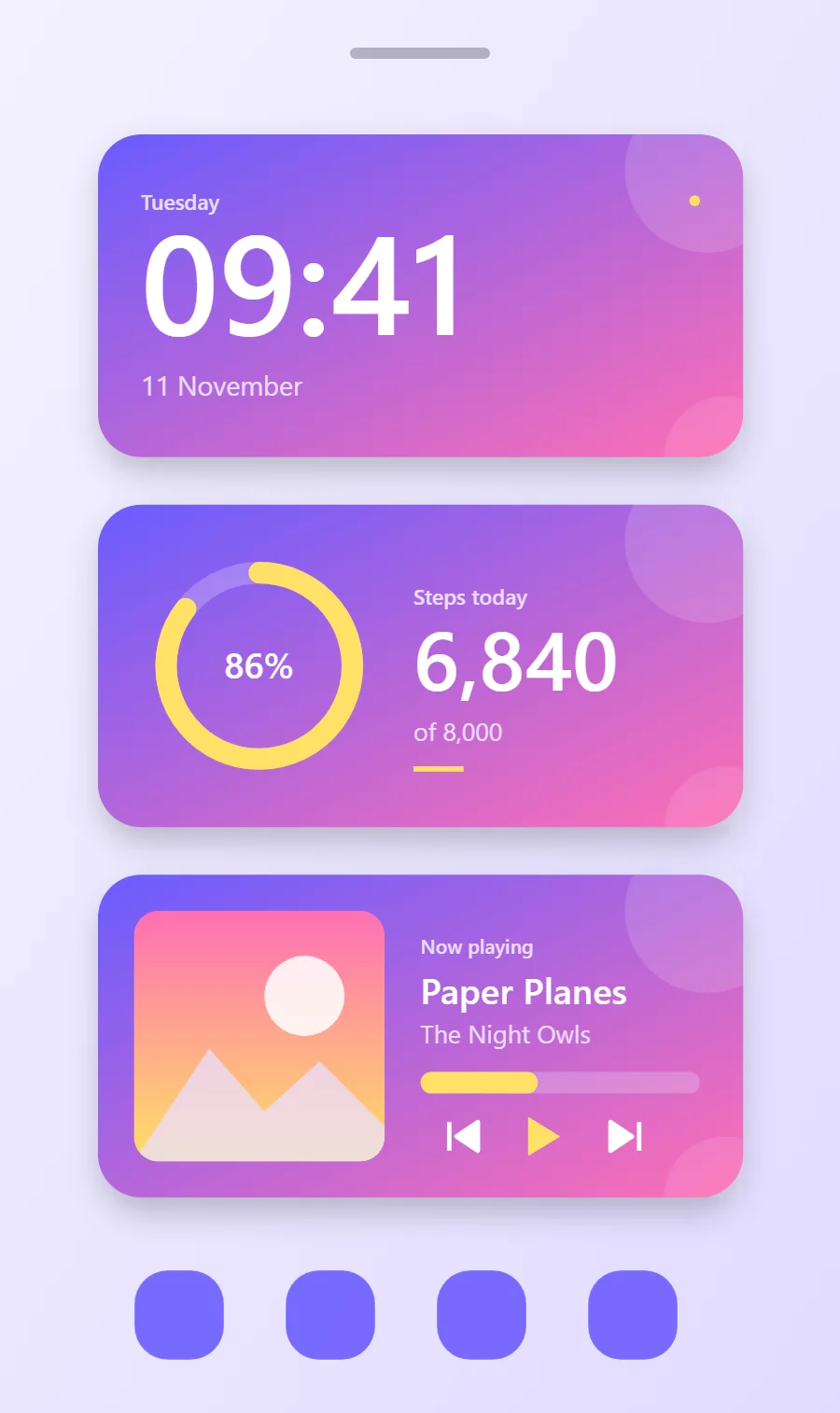
The three gradient widgets
- Gradient clock widget (4 × 2): shows the time in large numerals with the day and date beneath.
- Gradient step counter widget (4 × 2): shows today's steps against your goal.
- Gradient music widget (4 × 2): shows the song that is playing with play, pause and skip controls.
Place them top to bottom in that order and leave the row above the dock empty so the wallpaper has room.
Clock widget settings
A digital clock is the widget most people place first. It needs to be readable from arm's length, so the time takes most of the space and the date sits quietly below it.
- Canvas: 360 × 180, background gradient #6A5CFF to #FF6FB5 at 45°, corner radius 24, soft shadow radius 12 at low opacity
- Layout: stacked: weekday, time, then date, all left aligned
- Text or Date: weekday, built-in Sans, size 12, color #EBDDFF
- Numbers: Keep numbers white and bold so they hold up over both gradient colors.
Free to build. Full recipe and steps.
Step counter widget settings
A step widget shows one number and how close it is to a goal. A ring on one side and the count on the other reads well at a glance.
- Canvas: 360 × 180, background gradient #6A5CFF to #FF6FB5 at 45°, corner radius 24, soft shadow radius 12 at low opacity
- Ring: diameter 104, stroke 12, progress #FFE066, range 0 to your goal
- Text: percentage inside the ring, size 20, color #FFFFFF
- Bars and rings: Use white bars on a 25% white track.
Styling is free; the live data needs Pro. Full recipe and steps.
Music player widget settings
A now-playing widget shows cover art, the track and artist, a progress line and three controls. It works with whichever app is playing, not one particular service.
- Canvas: 360 × 180, background gradient #6A5CFF to #FF6FB5 at 45°, corner radius 24, soft shadow radius 12 at low opacity
- Image: cover art 140 × 140, radius 14, connected to media artwork
- Text: track title, built-in Sans, size 20, color #FFFFFF, one line
- Photos: Place photos in a rounded frame with a white border.
Styling is free; the live data needs Pro. Full recipe and steps.
How to set up a gradient home screen
- Set the wallpaper first, so you can judge every color against it.
- Build the clock widget and add it to the home screen at 4 × 2.
- Duplicate its canvas settings for the step counter and music widgets so the background, radius and outline match exactly.
- Place all three, then adjust margins until the left edges line up.
- Change the icons last, and remove any app you do not use daily from the page.
Gradient wallpaper ideas
A plain light wallpaper or a soft version of the same gradient.
Gradient icons and dock
White glyphs on gradient circles.
Gradient home screen colors
- Violet
#6A5CFFBackground - Pink
#FF6FB5Surface and tracks - White
#FFFFFFText - Lilac mist
#EBDDFFLabels - Lemon
#FFE066Accent
Fonts for a gradient home screen
Use built-in Sans at weight 600. Corner radius is 24 on every widget so the shapes match.
Do and avoid
- Blend two neighbouring hues, such as violet to pink.
- Set the gradient angle to about 45 degrees.
- Do not blend opposite colors; the middle turns muddy.
- Do not use dark text.