 WidgetCraftGet the app
Grunge · Home screen setup
Grunge home screen setup
Grunge widgets look worn and handmade: faded black and charcoal, off-white typewriter text, strips of tape and one dark red accent. They suit goth, emo and alt home screens. This setup uses three widgets, one wallpaper and one palette so the whole screen reads as a single design.
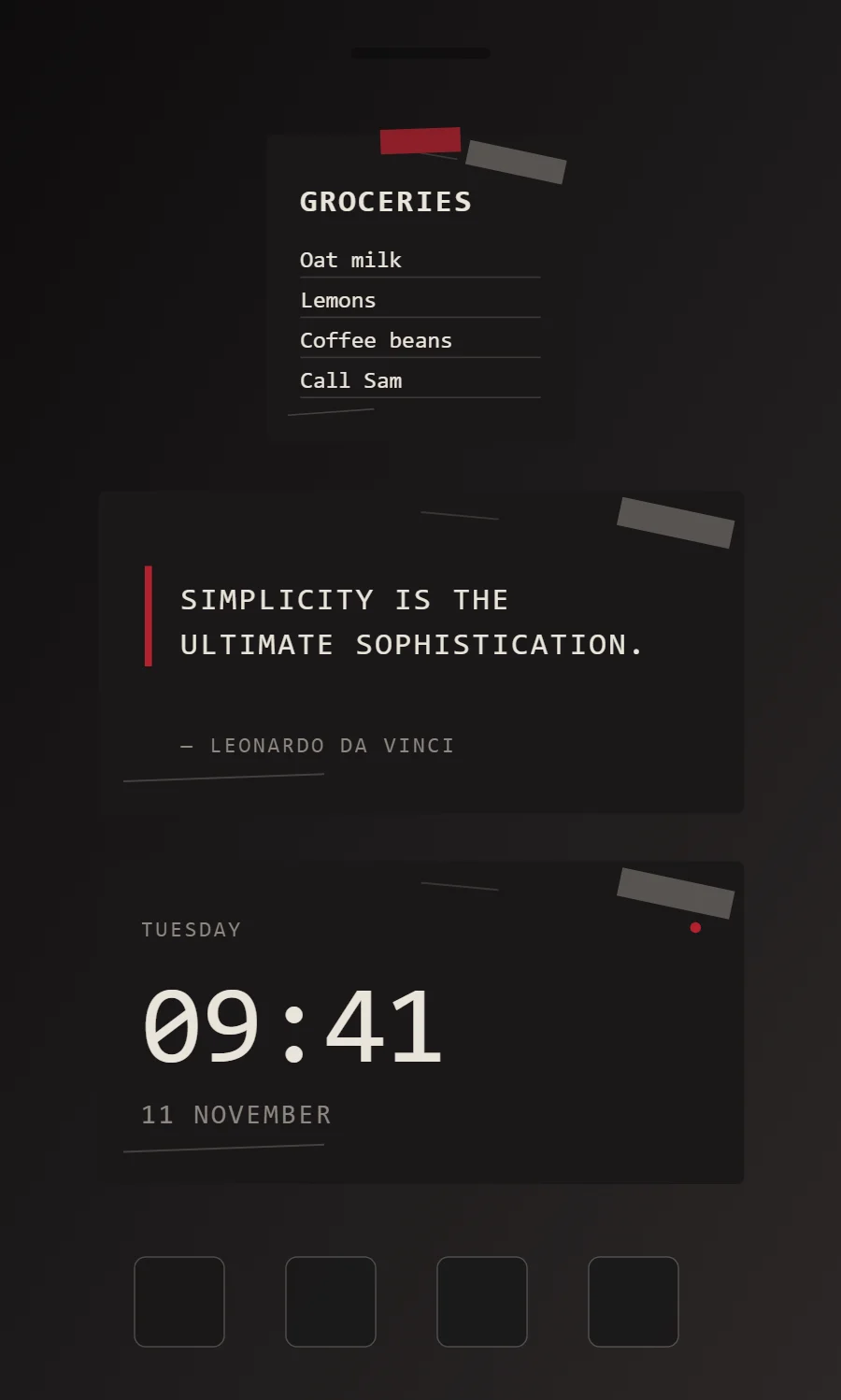
The three grunge widgets
- Grunge sticky note widget (2 × 2): keeps a short note or list on your home screen like a sticky note.
- Grunge quote widget (4 × 2): displays a line you want to see every day.
- Grunge clock widget (4 × 2): shows the time in large numerals with the day and date beneath.
Place them top to bottom in that order and leave the row above the dock empty so the wallpaper has room.
Sticky note widget settings
A sticky note widget holds a few words you need to see: a shopping list, a reminder, a phone number. It works best short, with a bold title and three or four lines.
- Canvas: 200 × 200, background #1A1818, corner radius 4
- Shape: "tape" strip 52 × 16 at the top center in #B3212E at 75% opacity, rotated 2°
- Text: title, Special Elite, size 20, color #E9E4DA
- Text: Use a typewriter font in bone white; capitals for labels.
Free to build. Full recipe and steps.
Quote widget settings
A quote widget is pure typography, so the style shows more clearly here than anywhere else. Line length, line spacing and the size of the quotation mark do the design work.
- Canvas: 360 × 180, background #1A1818, corner radius 4
- Shape: vertical rule 4 points wide in #B3212E at the left of the quote, in place of a quotation mark
- Text: quote in two lines, Special Elite, weight 400, size 17, line spacing 1.35, color #E9E4DA, left aligned
- Text: Use a typewriter font in bone white; capitals for labels.
Free to build. Full recipe and steps.
Clock widget settings
A digital clock is the widget most people place first. It needs to be readable from arm's length, so the time takes most of the space and the date sits quietly below it.
- Canvas: 360 × 180, background #1A1818, corner radius 4
- Layout: stacked: weekday, time, then date, all left aligned
- Text or Date: weekday, Special Elite, size 12, color #8E8780, capitals, letter spacing 0.1
- Numbers: Keep numbers plain and slightly spaced, like stamped digits.
Free to build. Full recipe and steps.
How to set up a grunge home screen
- Set the wallpaper first, so you can judge every color against it.
- Build the sticky note widget and add it to the home screen at 2 × 2.
- Duplicate its canvas settings for the quote and clock widgets so the background, radius and outline match exactly.
- Place all three, then adjust margins until the left edges line up.
- Change the icons last, and remove any app you do not use daily from the page.
Grunge wallpaper ideas
Grainy black-and-white photos, torn paper, band-poster textures or plain black.
Grunge icons and dock
Black-and-white or distressed icon packs.
Grunge home screen colors
- Faded black
#1A1818Background - Charcoal
#2A2626Surface and tracks - Bone
#E9E4DAText - Ash
#8E8780Labels - Blood red
#B3212EAccent
Fonts for a grunge home screen
Use Special Elite (import the font file), or the built-in Mono at weight 400, with labels in capitals. Corner radius is 4 on every widget so the shapes match.
Do and avoid
- Add one strip of "tape" across a corner.
- Use the red accent sparingly, once per widget.
- Do not use rounded, friendly fonts.
- Do not use bright colors other than the red.