 WidgetCraftGet the app
Neon · Analog clock · 2 × 2 widget
Neon analog clock widget
A neon analog clock widget shows the time on a round dial with hour and minute hands. Glowing pink and cyan outlines on near-black. This page gives the exact colors, type settings and layers, with a preview drawn from the same values.
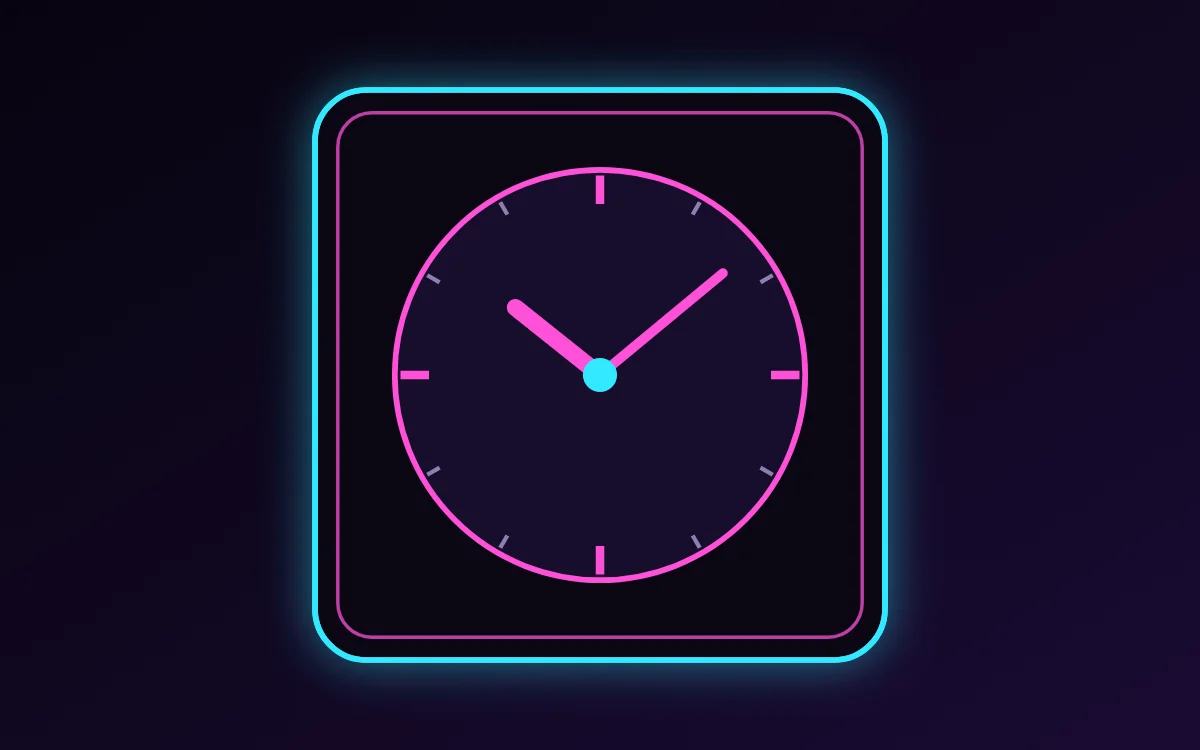
What a neon analog clock widget shows
An analog clock reads as a shape rather than as numbers, which makes it the most decorative way to show the time. WidgetCraft has a dedicated analog layer where the dial, markers and each hand can be styled separately.
It uses the phone's clock, needs no permission and works offline. A 2 × 2 space is enough.
How the neon style shapes it
Neon widgets imitate glowing tube signs: bright pink, cyan or lime outlines on a very dark ground with a soft halo. They are striking at night and pair well with dark wallpapers.
- Bars and rings: Use outlined bars and rings; fill only the progress part in the second neon color.
- Numbers: Make the number the brightest thing in the widget and add a shadow in the same color for glow.
Neon analog clock widget recipe
| Layer | Settings |
|---|---|
| Canvas | 200 × 200, background #0B0714, corner radius 18, outline 2 pt #31E8FF, shadow #31E8FF radius 12 for glow |
| Analog | dial #170D2B, ring 2 pt in #FF4FD8 |
| Markers | 12 ticks, quarter-hours in #FF4FD8 (3 pt), others in #8F7FB3 (1.5 pt) |
| Hour hand | length 50%, width 6, color #FF4FD8, round ends |
| Minute hand | length 78%, width 3.5, color #FF4FD8 |
| Center cap | radius 6, color #31E8FF |
| Ornament | a second, thinner outline in hot pink inset 8 points, so the frame reads as two glowing tubes |
| Font | Tilt Neon (import the font file), or the built-in Sans |
| Home screen size | 2 × 2 cells |
Neon color palette
- Night
#0B0714Background - Deep violet
#170D2BSurface and tracks - Hot pink
#FF4FD8Text - Dusk grey
#8F7FB3Labels - Cyan
#31E8FFAccent
How to make a neon analog clock widget in WidgetCraft
- Create a widget and open Canvas. Set the size to 200 × 200, the background to #0B0714 and the corner radius to 18. Add a 2-point outline.
- Tap Add and choose Analog. Size it to fill the canvas with a margin of about 28.
- Open the clock details and set the dial to #170D2B with a 2-point ring in #FF4FD8.
- Set twelve markers: quarter-hours thicker in #FF4FD8, the rest thinner in #8F7FB3.
- Style the hour hand (short, width 6) and minute hand (long, width 3.5) in #FF4FD8, turn the second hand off and color the center cap #31E8FF.
- Add the neon ornament with Shape layers and move them below the other layers in Layers: a second, thinner outline in hot pink inset 8 points, so the frame reads as two glowing tubes.
- Tap Save, then Add to home screen and resize the widget on your launcher if needed.
Everything in this recipe works in the free version.
Tips for neon analog clock widgets
- Add a shadow in the same color as the text with radius 8 to 12 for glow.
- Use two neon colors at most.
- Keep the hour hand clearly shorter and thicker than the minute hand.
- Twelve markers are easier to read than sixty; add numerals only at 12, 3, 6 and 9 if at all.
- Leave the second hand off: launchers refresh widgets about once a minute.
- Do not put neon on light backgrounds.
- Do not fill large areas with neon color; outlines glow better.
Questions about the neon analog clock widget
What size is a neon analog clock widget?
It is designed for 2 × 2 home screen cells on a 200 × 200 canvas. You can resize it on the launcher and the design scales in proportion.
Which colors does it use?
Night (#0B0714) for the background, Hot pink (#FF4FD8) for the main text, Dusk grey (#8F7FB3) for labels and Cyan (#31E8FF) as the accent.
Is it free to make?
Yes. Analog clock widgets use free features in WidgetCraft, and the neon styling is free too.
What else is this style called?
People also search for neon sign analog clock widget, glow analog clock widget, neon aesthetic analog clock widget. They describe the same look as this neon analog clock widget.
More neon widgets
- Neon clock widget
- Neon calendar widget
- Neon battery widget
- Neon countdown widget
- Neon to-do list widget
- Neon photo widget
- Neon quote widget
- Neon music widget
- Neon year progress widget
- Neon step counter widget
- Neon habit tracker widget
- Neon sticky note widget
- Neon world clock widget
- Neon date widget
- Neon home screen setup
- All neon widgets