 WidgetCraftGet the app
Sakura · Home screen setup
Sakura home screen setup
Sakura widgets borrow the colors of cherry blossom season: pale petal pink on a soft white ground, a dark bark brown for text and a deeper blossom accent, with drifting petals. This setup uses three widgets, one wallpaper and one palette so the whole screen reads as a single design.
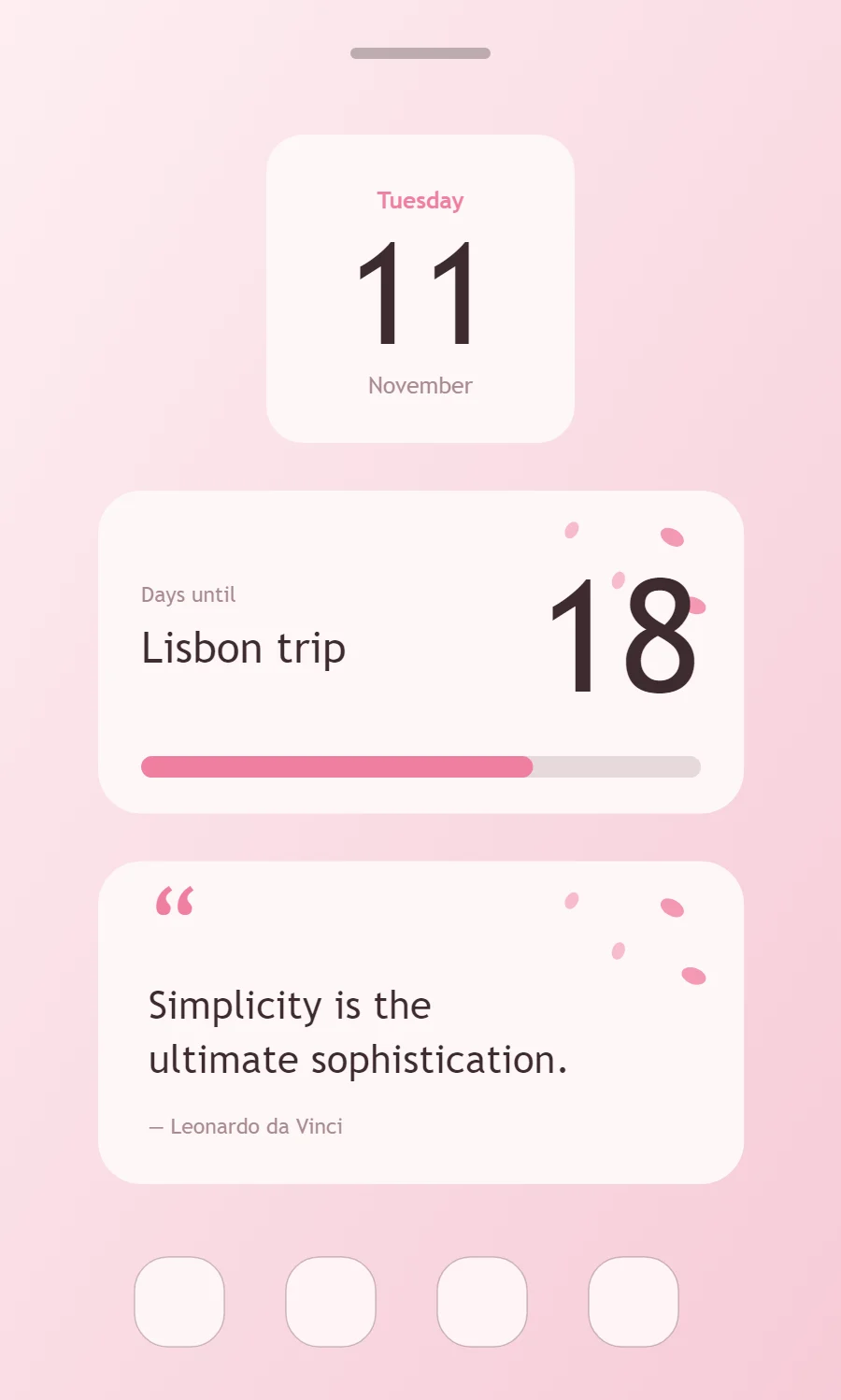
The three sakura widgets
- Sakura date widget (2 × 2): shows the weekday, a large day number and the month.
- Sakura countdown widget (4 × 2): counts the days left until a date you choose.
- Sakura quote widget (4 × 2): displays a line you want to see every day.
Place them top to bottom in that order and leave the row above the dock empty so the wallpaper has room.
Date widget settings
A date widget is the calm alternative to a clock: one large number for the day, with the weekday above and the month below. It suits small 2 × 2 spaces and pairs well with a clock elsewhere on the screen.
- Canvas: 200 × 200, background #FFF7F8, corner radius 24
- Date: weekday (pattern EEEE), size 15, color #F07FA0, centered
- Date: day number (pattern d), Zen Maru Gothic, weight 500, size 92, color #3D2B2E
- Numbers: Use rounded numerals at a medium weight.
Free to build. Full recipe and steps.
Countdown widget settings
A countdown widget keeps one date in view: a trip, a birthday, an exam or a launch. The number of days is the hero, the event name gives it meaning and a bar shows how far along you are.
- Canvas: 360 × 180, background #FFF7F8, corner radius 24
- Layout: split: label and event name on the left, the number right aligned and larger on the right
- Text: label "Days until", size 12, color #A88B90
- Numbers: Use rounded numerals at a medium weight.
Free to build. Full recipe and steps.
Quote widget settings
A quote widget is pure typography, so the style shows more clearly here than anywhere else. Line length, line spacing and the size of the quotation mark do the design work.
- Canvas: 360 × 180, background #FFF7F8, corner radius 24
- Text: opening quotation mark, size 54, color #F07FA0
- Text: quote in two lines, Zen Maru Gothic, weight 500, size 22, line spacing 1.35, color #3D2B2E, left aligned
- Text: Use bark brown for text; pure black is too harsh on the pale pink.
Free to build. Full recipe and steps.
How to set up a sakura home screen
- Set the wallpaper first, so you can judge every color against it.
- Build the date widget and add it to the home screen at 2 × 2.
- Duplicate its canvas settings for the countdown and quote widgets so the background, radius and outline match exactly.
- Place all three, then adjust margins until the left edges line up.
- Change the icons last, and remove any app you do not use daily from the page.
Sakura wallpaper ideas
A blossom branch against a pale sky, or a soft pink gradient.
Sakura icons and dock
White or pale pink icon packs.
Sakura home screen colors
- Petal white
#FFF7F8Background - Blossom
#FCE4EASurface and tracks - Bark
#3D2B2EText - Mist
#A88B90Labels - Sakura
#F07FA0Accent
Fonts for a sakura home screen
Use Zen Maru Gothic (import the font file), or the built-in Sans at weight 500. Corner radius is 24 on every widget so the shapes match.
Do and avoid
- Scatter a few petals in one corner only.
- Add a touch of leaf green as the second accent.
- Do not cover the content with petals.
- Do not use saturated hot pink.