 WidgetCraftGet the app
Boho · Home screen setup
Boho home screen setup
Boho widgets use terracotta, sand and olive with soft arches, suns and wavy lines. The mood is relaxed and warm, like a hand-painted print. This setup uses three widgets, one wallpaper and one palette so the whole screen reads as a single design.
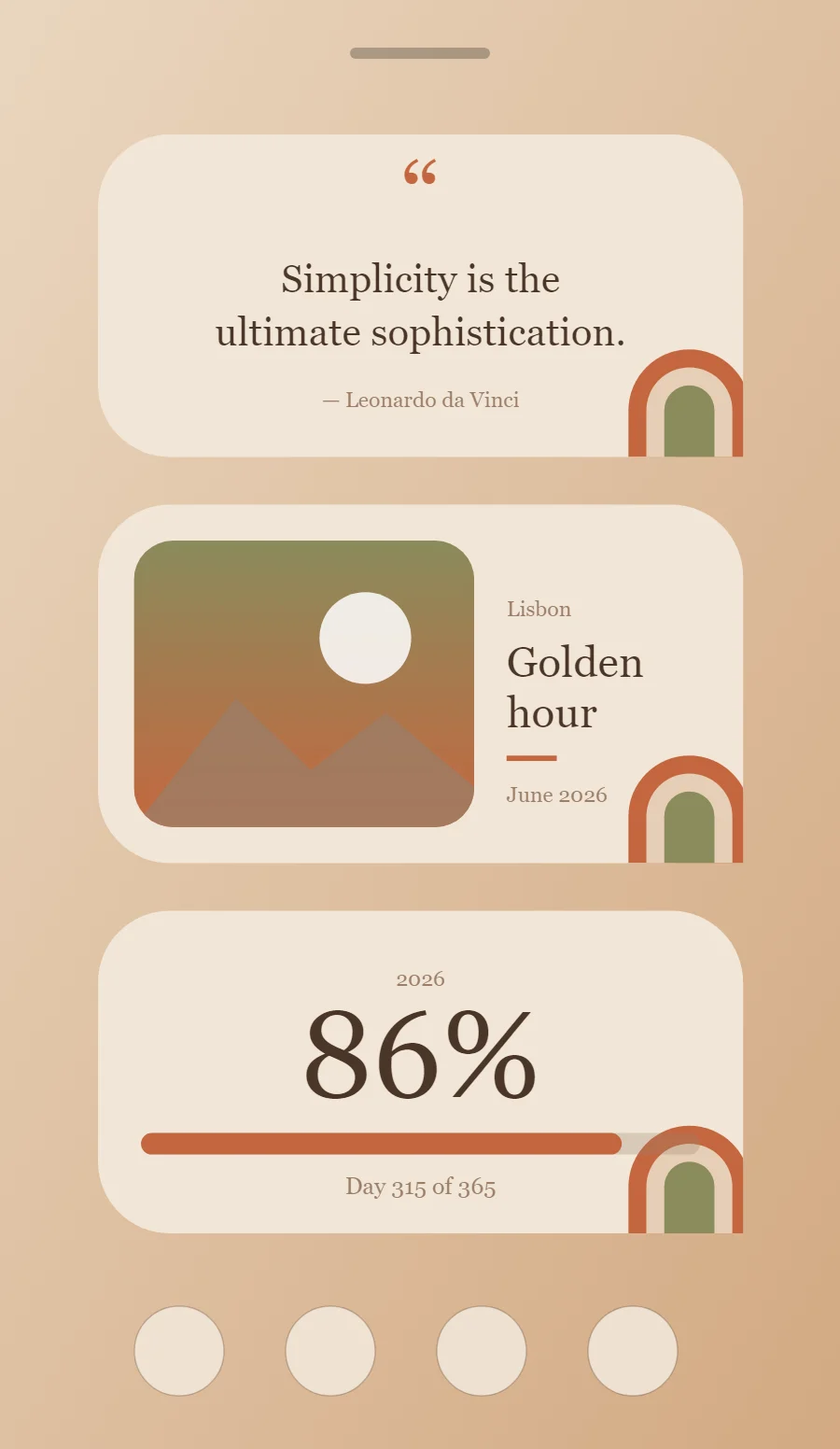
The three boho widgets
- Boho quote widget (4 × 2): displays a line you want to see every day.
- Boho photo widget (4 × 2): frames a favorite picture with a short caption.
- Boho year progress widget (4 × 2): shows how much of the year has passed as a percentage and a bar.
Place them top to bottom in that order and leave the row above the dock empty so the wallpaper has room.
Quote widget settings
A quote widget is pure typography, so the style shows more clearly here than anywhere else. Line length, line spacing and the size of the quotation mark do the design work.
- Canvas: 360 × 180, background #F2E6D8, corner radius 40
- Text: opening quotation mark, size 54, color #C4673F
- Text: quote in two lines, DM Serif Display, weight 400, size 22, line spacing 1.35, color #4A3528, center aligned
- Text: Use a soft display serif in bark brown.
Free to build. Full recipe and steps.
Photo widget settings
A photo widget puts a person, place or pet on the home screen without making it the wallpaper. The frame, the crop and the caption decide whether it feels designed or just pasted in.
- Canvas: 360 × 200, background #F2E6D8, corner radius 40
- Layout: photo on the left, caption on the right
- Image: 190 × 160, corner radius 22, crop to fill
- Photos: Mask photos into an arch shape with a sand border.
Free to build. Full recipe and steps.
Year progress widget settings
A year-progress widget is a gentle nudge: one bar that fills from 1 January to 31 December. The same layout works for the day, the week or a personal goal.
- Canvas: 360 × 180, background #F2E6D8, corner radius 40
- Text: year label, size 12, color #9B7F68
- Text (formula): percentage of the year, DM Serif Display, size 68, color #4A3528
- Bars and rings: Use half circles, arches and thick rounded bars in terracotta and olive.
Free to build. Full recipe and steps.
How to set up a boho home screen
- Set the wallpaper first, so you can judge every color against it.
- Build the quote widget and add it to the home screen at 4 × 2.
- Duplicate its canvas settings for the photo and year progress widgets so the background, radius and outline match exactly.
- Place all three, then adjust margins until the left edges line up.
- Change the icons last, and remove any app you do not use daily from the page.
Boho wallpaper ideas
An abstract print of arches and suns, or a warm desert photo.
Boho icons and dock
Earth-tone rounded icons.
Boho home screen colors
- Sand
#F2E6D8Background - Clay
#E6CFB6Surface and tracks - Bark
#4A3528Text - Driftwood
#9B7F68Labels - Terracotta
#C4673FAccent
Fonts for a boho home screen
Use DM Serif Display (import the font file), or the built-in Serif at weight 400. Corner radius is 40 on every widget so the shapes match.
Do and avoid
- Use arches or half circles as the main shape.
- Keep to three earth colors.
- Do not use cool blues or pure white.
- Do not use sharp corners.