 WidgetCraftGet the app
Kawaii · Home screen setup
Kawaii home screen setup
Kawaii widgets are deliberately cute: very round shapes, pink and cream colors, small hearts or stars and friendly rounded type. Simple shapes with two dots and a curve become faces. This setup uses three widgets, one wallpaper and one palette so the whole screen reads as a single design.
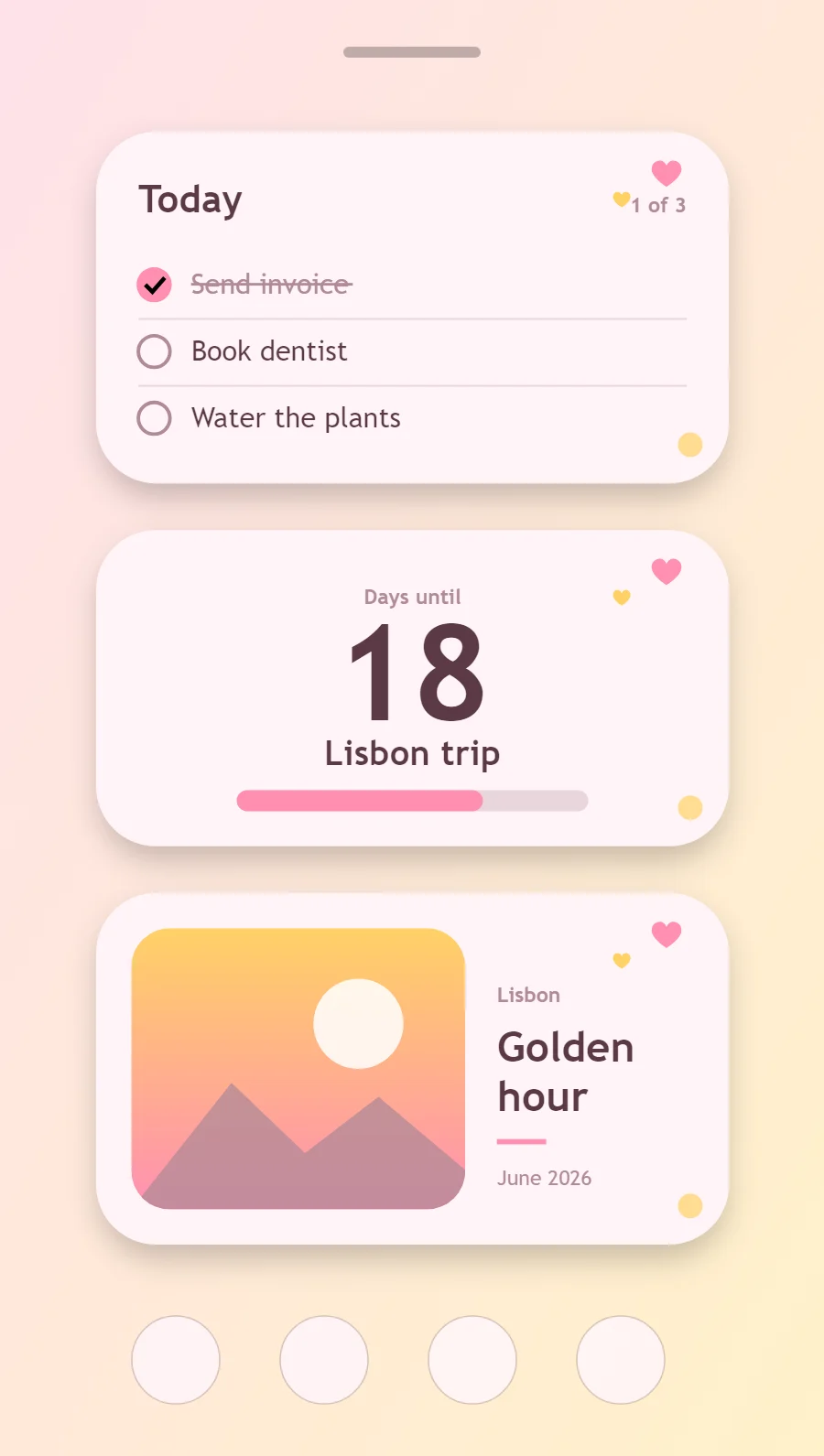
The three kawaii widgets
- Kawaii to-do list widget (4 × 2): keeps today's tasks on your home screen with boxes you can tick.
- Kawaii countdown widget (4 × 2): counts the days left until a date you choose.
- Kawaii photo widget (4 × 2): frames a favorite picture with a short caption.
Place them top to bottom in that order and leave the row above the dock empty so the wallpaper has room.
To-do list widget settings
A to-do widget works when it is short. Three tasks, a clear title and a box to tap are enough; a long list belongs in an app.
- Canvas: 360 × 200, background #FFF4F7, corner radius 34, soft shadow radius 12 at low opacity
- Text: title "Today", Nunito, size 22, color #5B3A45
- Text: count such as "1 of 3", size 12, color #B08A97, right aligned
- Lists: Use heart or circle checkboxes and pink strikethrough for finished rows.
Free to build. Full recipe and steps.
Countdown widget settings
A countdown widget keeps one date in view: a trip, a birthday, an exam or a launch. The number of days is the hero, the event name gives it meaning and a bar shows how far along you are.
- Canvas: 360 × 180, background #FFF4F7, corner radius 34, soft shadow radius 12 at low opacity
- Layout: stacked: label, number and event name, center aligned
- Text: label "Days until", size 12, color #B08A97
- Numbers: Center the number and add a small heart or star beside the label.
Free to build. Full recipe and steps.
Photo widget settings
A photo widget puts a person, place or pet on the home screen without making it the wallpaper. The frame, the crop and the caption decide whether it feels designed or just pasted in.
- Canvas: 360 × 200, background #FFF4F7, corner radius 34, soft shadow radius 12 at low opacity
- Layout: photo on the left, caption on the right
- Image: 190 × 160, corner radius 22, crop to fill
- Photos: Crop photos into a circle or a soft blob with a pink border.
Free to build. Full recipe and steps.
How to set up a kawaii home screen
- Set the wallpaper first, so you can judge every color against it.
- Build the to-do list widget and add it to the home screen at 4 × 2.
- Duplicate its canvas settings for the countdown and photo widgets so the background, radius and outline match exactly.
- Place all three, then adjust margins until the left edges line up.
- Change the icons last, and remove any app you do not use daily from the page.
Kawaii wallpaper ideas
A pale pink pattern, clouds or a simple pastel illustration.
Kawaii icons and dock
Cute illustrated icon packs or pink rounded glyphs.
Kawaii home screen colors
- Milk
#FFF4F7Background - Strawberry milk
#FFE1EASurface and tracks - Cocoa
#5B3A45Text - Dusty rose
#B08A97Labels - Strawberry
#FF8FB1Accent
Fonts for a kawaii home screen
Use Nunito (import the font file), or the built-in Sans at weight 800. Corner radius is 34 on every widget so the shapes match.
Do and avoid
- Use radius 30 or more on everything.
- Add one small heart or star shape as decoration.
- Do not use black; cocoa brown is softer.
- Do not crowd the widget with many decorations.