 WidgetCraftGet the app
E-ink · Battery · 2 × 2 widget
E-ink battery widget
An e-ink battery widget shows your charge level as a ring with the percentage in the middle. Grey paper-like screens with crisp black text and no color. This page gives the exact colors, type settings and layers, with a preview drawn from the same values.
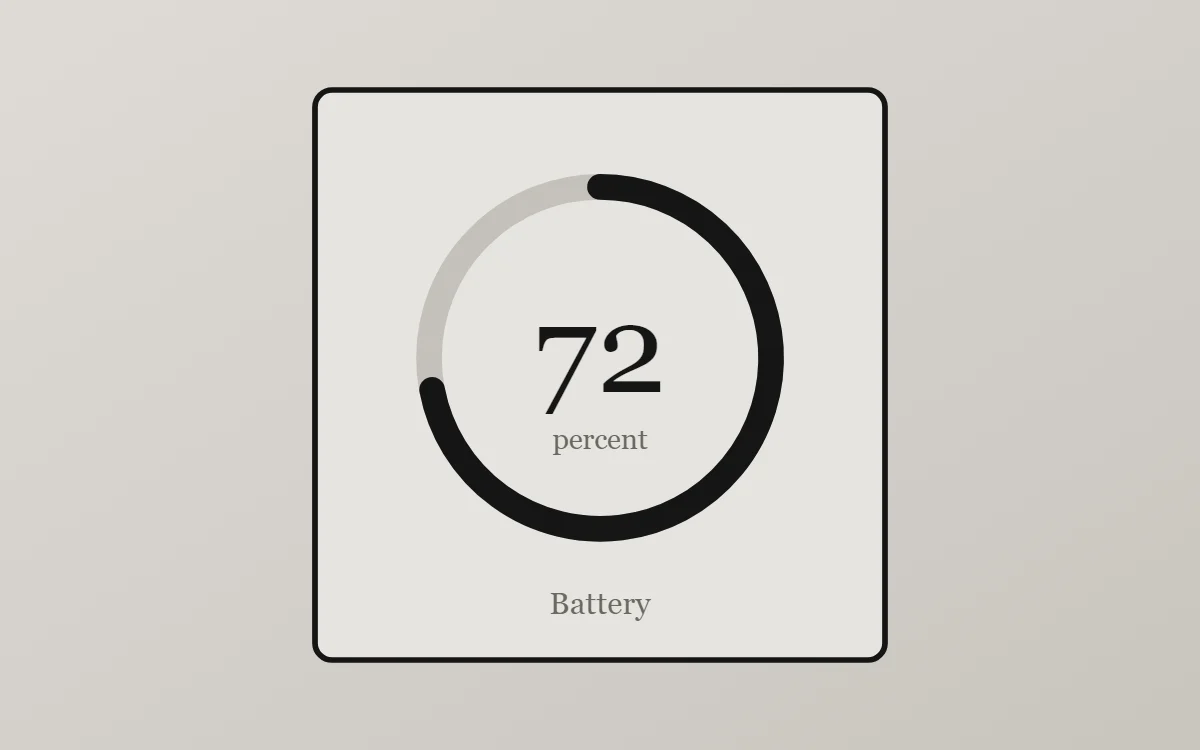
What an e-ink battery widget shows
A battery widget turns one number into a shape you can read without thinking. A ring that fills clockwise is the clearest form, with the percentage inside it.
Battery level is a free, built-in source in WidgetCraft and needs no permission. The widget refreshes when the charge changes or the charger is connected.
How the e-ink style shapes it
E-ink widgets imitate an e-reader display: a light grey background, sharp black text, no color and no effects. Popular for low-distraction home screens.
- Bars and rings: Use black segments or a simple outlined bar.
- Numbers: Keep numbers black and plain; add a small label.
E-ink battery widget recipe
| Layer | Settings |
|---|---|
| Canvas | 200 × 200, background #E6E4DF, corner radius 6, outline 2 pt #151515 |
| Ring | diameter 120, stroke 9, track #6A6862 at 28% opacity, progress #151515, round ends, start at top |
| Battery | level as a number, built-in Serif, size 44, color #151515, centered in the ring |
| Text | "percent" at size 10 and "Battery" at size 11, color #6A6862 |
| Font | built-in Serif |
| Home screen size | 2 × 2 cells |
E-ink color palette
- Paper grey
#E6E4DFBackground - Shade
#D7D4CESurface and tracks - Ink
#151515Text - Pencil
#6A6862Labels - Ink
#151515Accent
How to make an e-ink battery widget in WidgetCraft
- Create a widget and open Canvas. Set the size to 200 × 200, the background to #E6E4DF and the corner radius to 6. Add a 2-point outline.
- Tap Add and choose Ring. Set the diameter to 120 and the stroke to 9.
- Open Data for the ring and connect it to Battery level with a range of 0 to 100.
- Color the progress #151515 and the track #6A6862 at about 28% opacity.
- Add a Battery layer in the center at size 44 in #151515, then a small Text label underneath.
- Tap Save, then Add to home screen and resize the widget on your launcher if needed.
Everything in this recipe works in the free version.
Tips for e-ink battery widgets
- Use only black and two greys.
- Add a thin black outline.
- Start the ring at the top and fill clockwise; other start points are harder to read.
- Keep the track visible at low opacity so an almost-empty ring still looks like a ring.
- A battery widget shows the phone only. Earbuds and watches need their maker's own widget.
- Do not use color or gradients.
- Do not use shadows.
Questions about the e-ink battery widget
What size is an e-ink battery widget?
It is designed for 2 × 2 home screen cells on a 200 × 200 canvas. You can resize it on the launcher and the design scales in proportion.
Which colors does it use?
Paper grey (#E6E4DF) for the background, Ink (#151515) for the main text, Pencil (#6A6862) for labels and Ink (#151515) as the accent.
Is it free to make?
Yes. Battery widgets use free features in WidgetCraft, and the e-ink styling is free too.
What else is this style called?
People also search for e-reader style battery widget, paper display battery widget, low distraction battery widget. They describe the same look as this e-ink battery widget.
More e-ink widgets
- E-ink clock widget
- E-ink analog clock widget
- E-ink calendar widget
- E-ink countdown widget
- E-ink to-do list widget
- E-ink photo widget
- E-ink quote widget
- E-ink music widget
- E-ink year progress widget
- E-ink step counter widget
- E-ink habit tracker widget
- E-ink sticky note widget
- E-ink world clock widget
- E-ink date widget
- E-ink home screen setup
- All e-ink widgets